🎥 vMix Tally Setup Guide
Follow this guide to correctly configure vMix Tally and synchronize it with your streaming application.
1. Disable LAN Restriction
Go to Settings → Web Controller in vMix and uncheck:
- Restrict access to LAN only (Web Controller)
- Restrict access to LAN only (TCP API)
This allows external devices to access vMix.
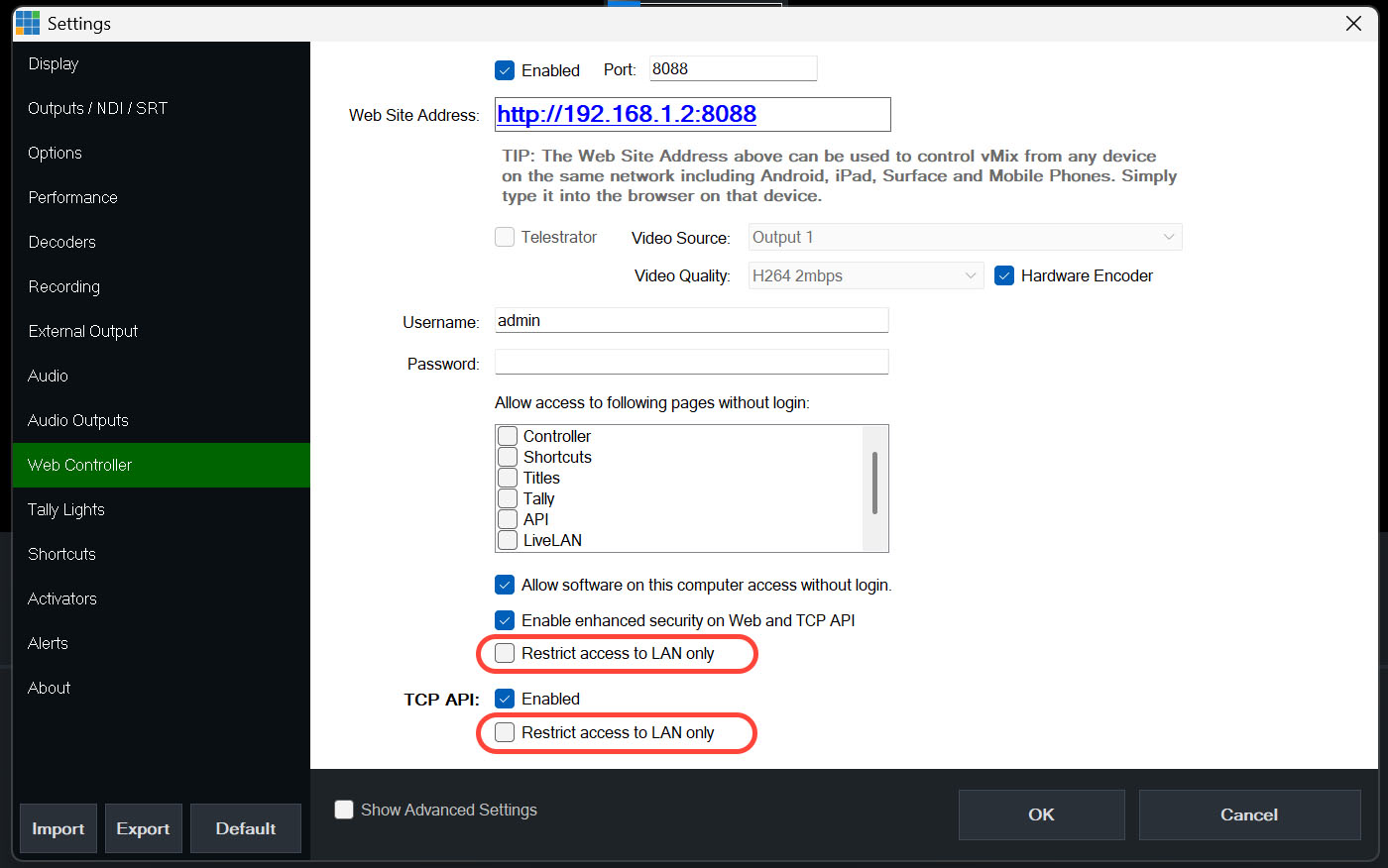
Disable LAN restriction in both Web Controller and TCP API sections
2. Configure Port Forwarding
Access your router and create a rule:
| Setting | Value |
|---|---|
| Port | 8099 |
| Protocol | TCP |
| Destination IP | Your vMix PC local IP |
Example: 192.168.1.2:8099
3. Match Input Name with Stream ID
In vMix:
- Select an input
- Open Settings → General
- Set the Name equal to your Stream ID
Example: cam1 → cam1
4. Tally Status Colors
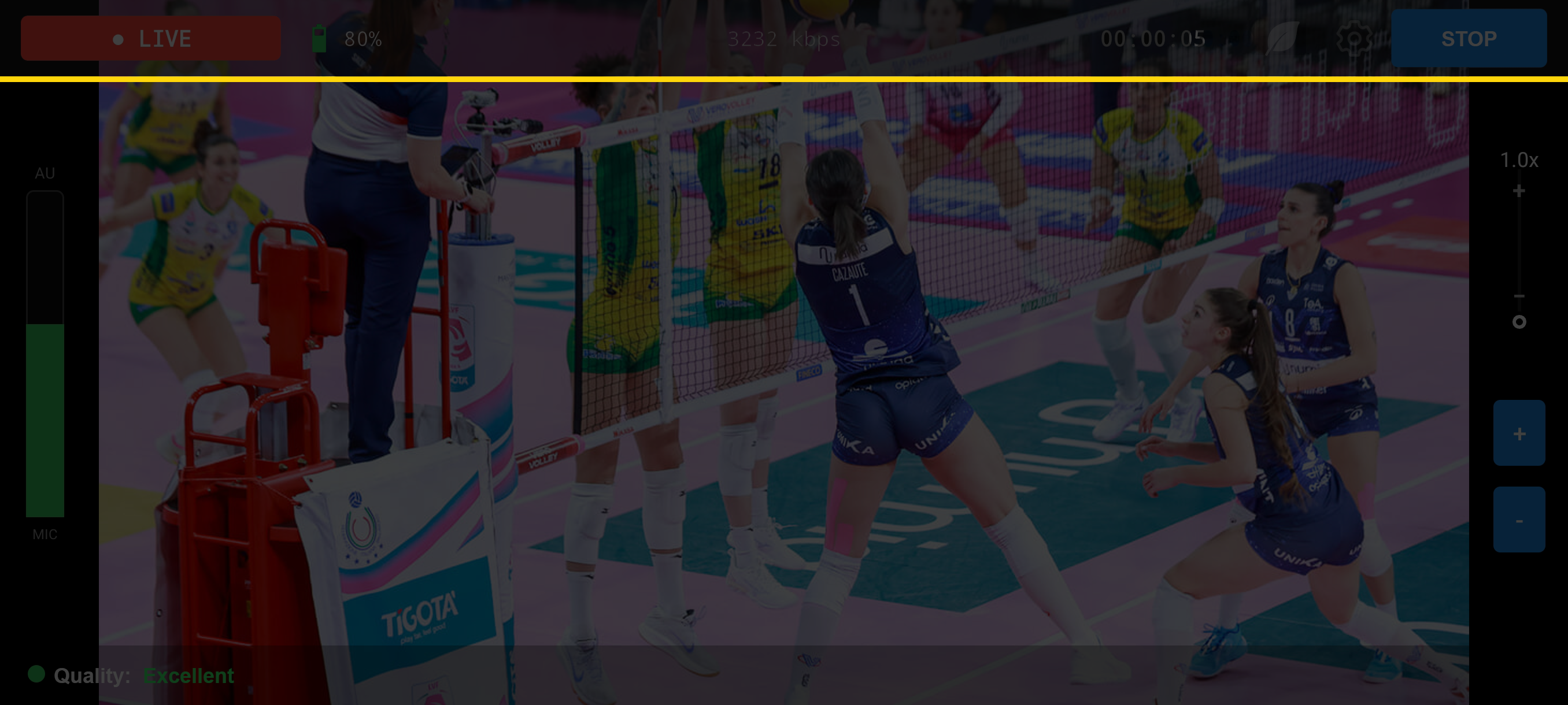
Yellow line -> ON PREVIEW
| Status | Description |
|---|---|
| GREEN | FREE |
| YELLOW | PREVIEW |
| RED | ON AIR |
✔ Final Notes
- Use static IP for your vMix PC
- Check firewall settings
- Test locally before remote use